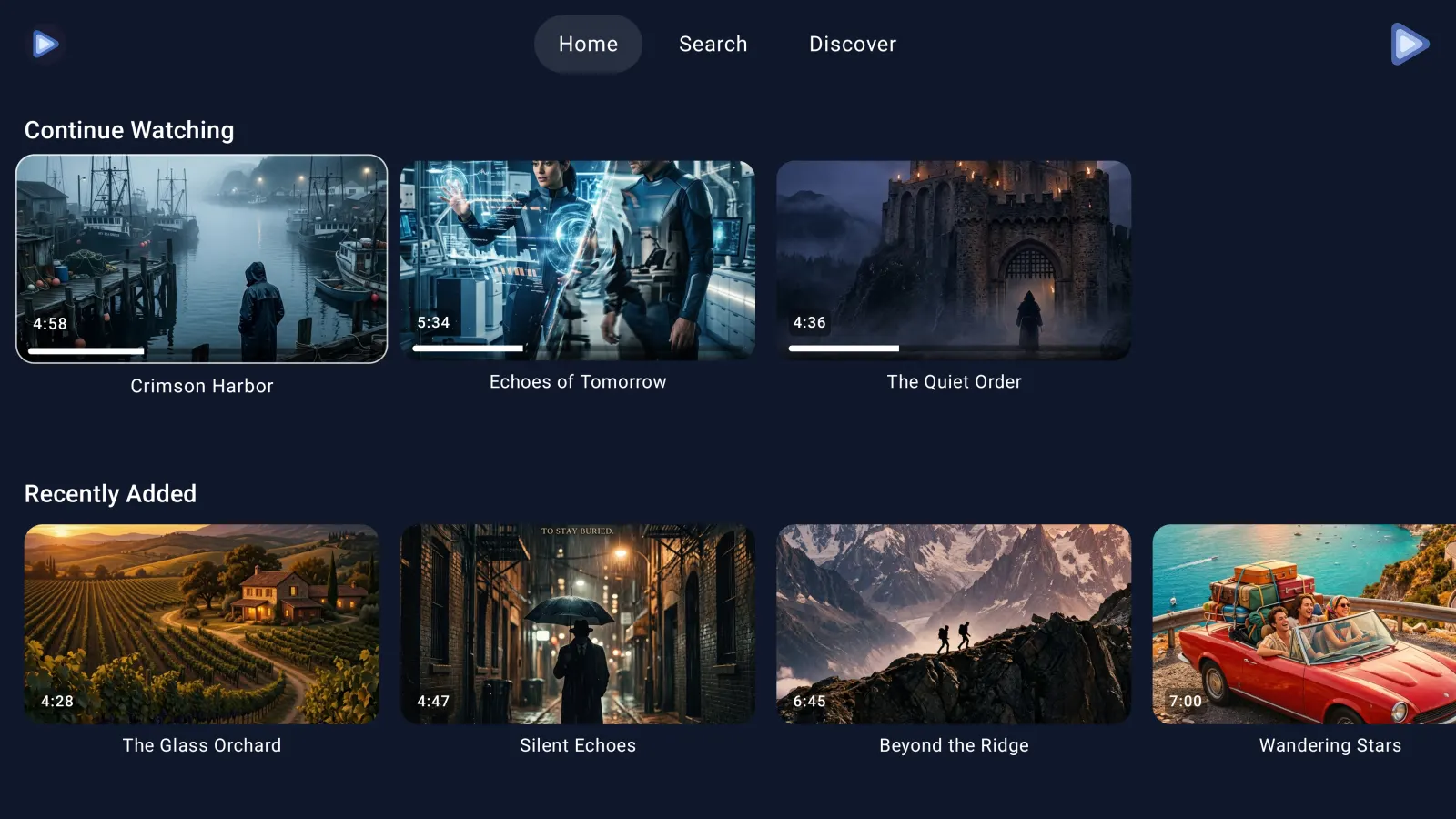
A real big-screen Telegram video player
EchoGram is built for the living room. The interface is designed for the 10-foot experience and the standard TV remote: move through your Telegram folders, channels, group topics and search results with the D-pad, and press to play. Artwork, titles and progress are laid out so you can find the next thing to watch from across the room, without pulling out your phone.
Under the hood it is a full media player. EchoGram plays MKV, MP4 and other common container formats directly, with hardware-accelerated decoding on Android TV and Fire OS. You can switch between embedded audio tracks, pick a subtitle stream and adjust how subtitles look, and jump to any point in a file instantly.
Works on the devices you already own
EchoGram runs on Android TV and Google TV devices such as the Chromecast with Google TV, Nvidia Shield TV, Walmart onn. boxes and Android TV built-in televisions, and on Amazon Fire TV devices including the Fire TV Stick, Fire TV Stick 4K, Fire TV Cube and Fire TV Omni televisions. Sign in once with your Telegram account and your channels are ready to watch.
Big files on small devices
A Fire TV Stick has very little free storage, and Telegram videos are often several gigabytes. EchoGram streams each video and removes the cached data as you go, so a 4 GB MKV plays without ever asking you to free up space. Nothing is permanently downloaded to the device.
Prefer to start on your phone? EchoGram remembers your playback position per video and syncs it across your devices, so you can begin watching on the train and finish on the TV. You can also cast Telegram videos from your phone to a Chromecast or DLNA screen instead of using the TV app.
Android TV & Fire TV FAQ
Is there a Telegram app for Android TV?
Telegram does not publish an Android TV app. EchoGram is a third-party Telegram video player with a native Android TV and Google TV interface. It signs in with your own Telegram account through the official Telegram API and plays the videos from your chats and channels on the big screen.
Does EchoGram work on Amazon Fire TV?
Yes. EchoGram is on the Amazon Appstore and runs on Fire TV Stick, Fire TV Cube and Fire TV built-in televisions, with the same interface and remote navigation as the Android TV version.
Can I play MKV files from Telegram on Android TV?
Yes. EchoGram plays MKV, MP4 and other common containers directly, with hardware-accelerated decoding, embedded audio-track switching and subtitle selection.
Does watching on Android TV fill up the device storage?
No. EchoGram streams each video and clears its cache afterwards, so large files play even on Fire TV Sticks with only a few gigabytes free.
Is EchoGram official?
No. EchoGram is an independent app by Illuzion Apps and is not affiliated with, endorsed by or sponsored by Telegram.