EchoGram app icon

EchoGram, a Telegram Video Player for Every Screen

Watch Telegram videos on your TV, phone or tablet without downloading them. EchoGram is a native, hardware-accelerated Telegram video and media player, with direct MKV playback, multiple audio tracks, subtitle styling, and one-tap casting to Chromecast, Google TV, DLNA, Android TV, Fire TV and Apple TV.
Download on Google Play Download on the App Store Available on Amazon Appstore
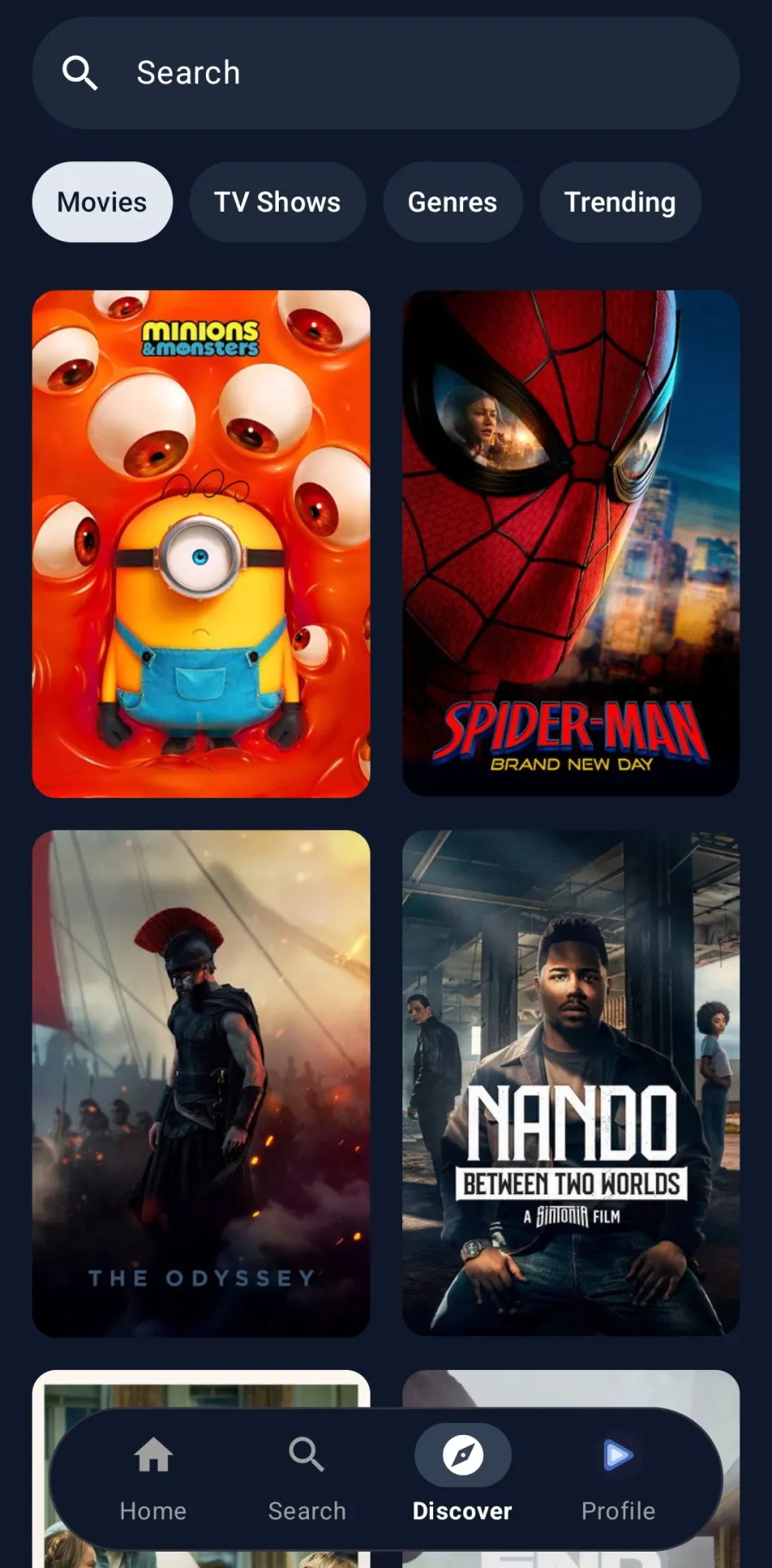
EchoGram home screen with Continue Watching and Recently Added rows of Telegram videos EchoGram Discover screen showing movie posters with ratings

What is EchoGram?

EchoGram is a third-party Telegram video and media player for Android, Android TV, Fire TV, iPhone, iPad and Apple TV. Using the official Telegram API, it turns the chats, channels, folders and topics in your own Telegram account into an organised streaming library, with a Continue Watching home screen, a real media player, and a Discover section that pulls posters, ratings, cast and episode lists for the movies and shows you follow. Cast to your living-room TV, play large MKV files natively, switch audio and subtitle tracks, or simply save device storage by streaming instead of downloading. EchoGram is independent and is not affiliated with Telegram.

EchoGram key facts

Why EchoGram?

A fast, sleek player built around Telegram content, with native hardware-accelerated playback on Android, Android TV, Fire TV, iPhone, iPad and Apple TV.

📺

Watch on any screen

Phone, tablet, Android TV, Fire TV and Apple TV, plus one-tap casting to Chromecast, Google TV and DLNA televisions.

Streams light, not heavy

A caching and cleanup engine plays multi-gigabyte MKV files on low-storage devices and clears up after itself.

🎞️

A real media player

Direct MKV and MP4 playback, embedded audio-track switching, and subtitle selection and styling.

🍿

Discover, powered by TMDB

Posters, ratings, cast, synopses, seasons and episode lists for the movies and shows in your channels.

⏯️

Continue watching

Pick up right where you left off. Your position syncs across your phone, tablet and TV.

🔒

Private by design

Official Telegram API with two-factor authentication. Your content stays on your device. No ads, no analytics SDKs.

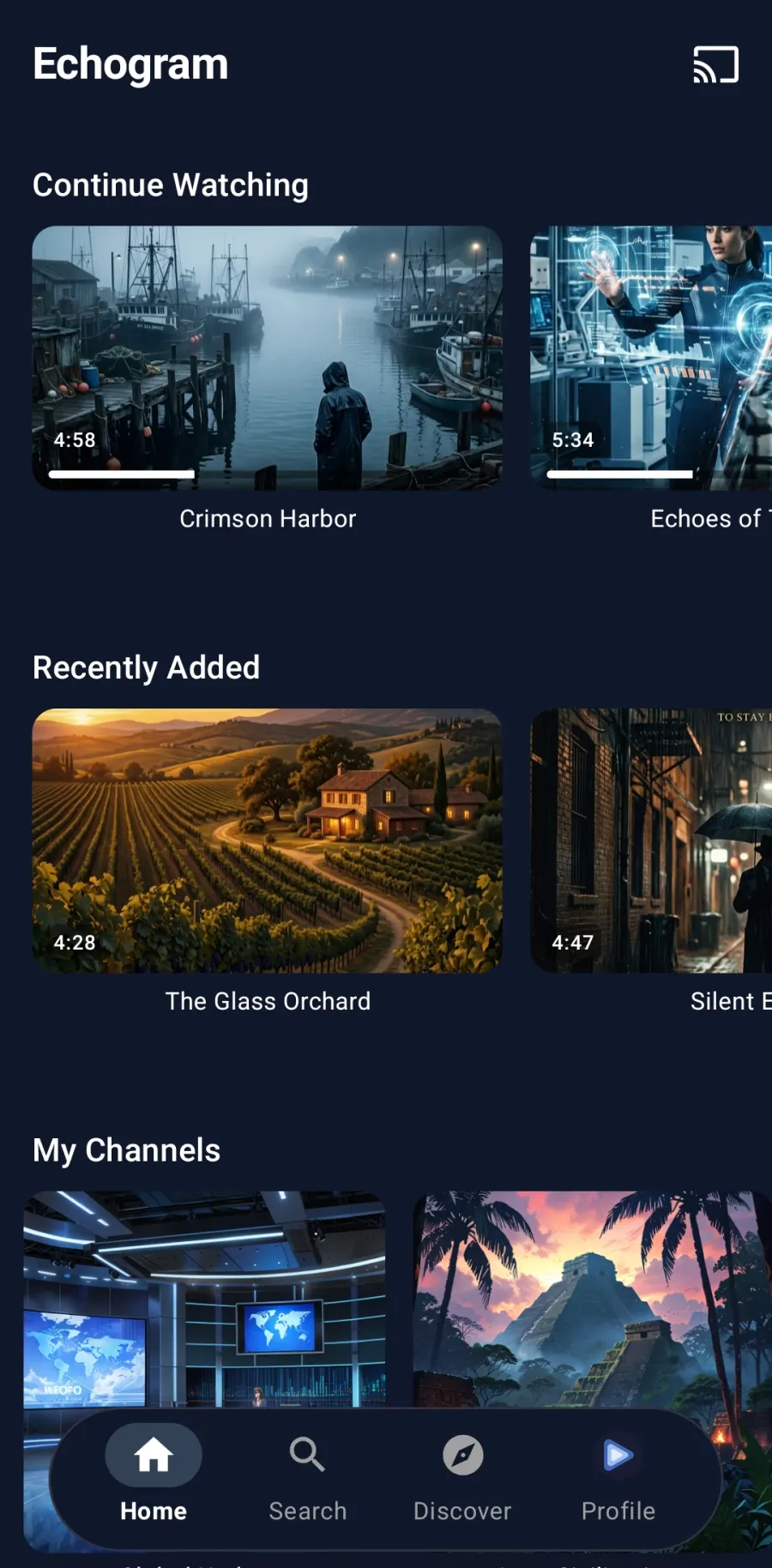
EchoGram home screen with Continue Watching and Recently Added rows and a My Channels grid

Everything you follow, one home screen

Continue Watching picks up where you left off. Recently Added shows what's new across your channels. My Channels keeps your folders and favourites a click away, with no endless scrolling through chats to find something to watch.

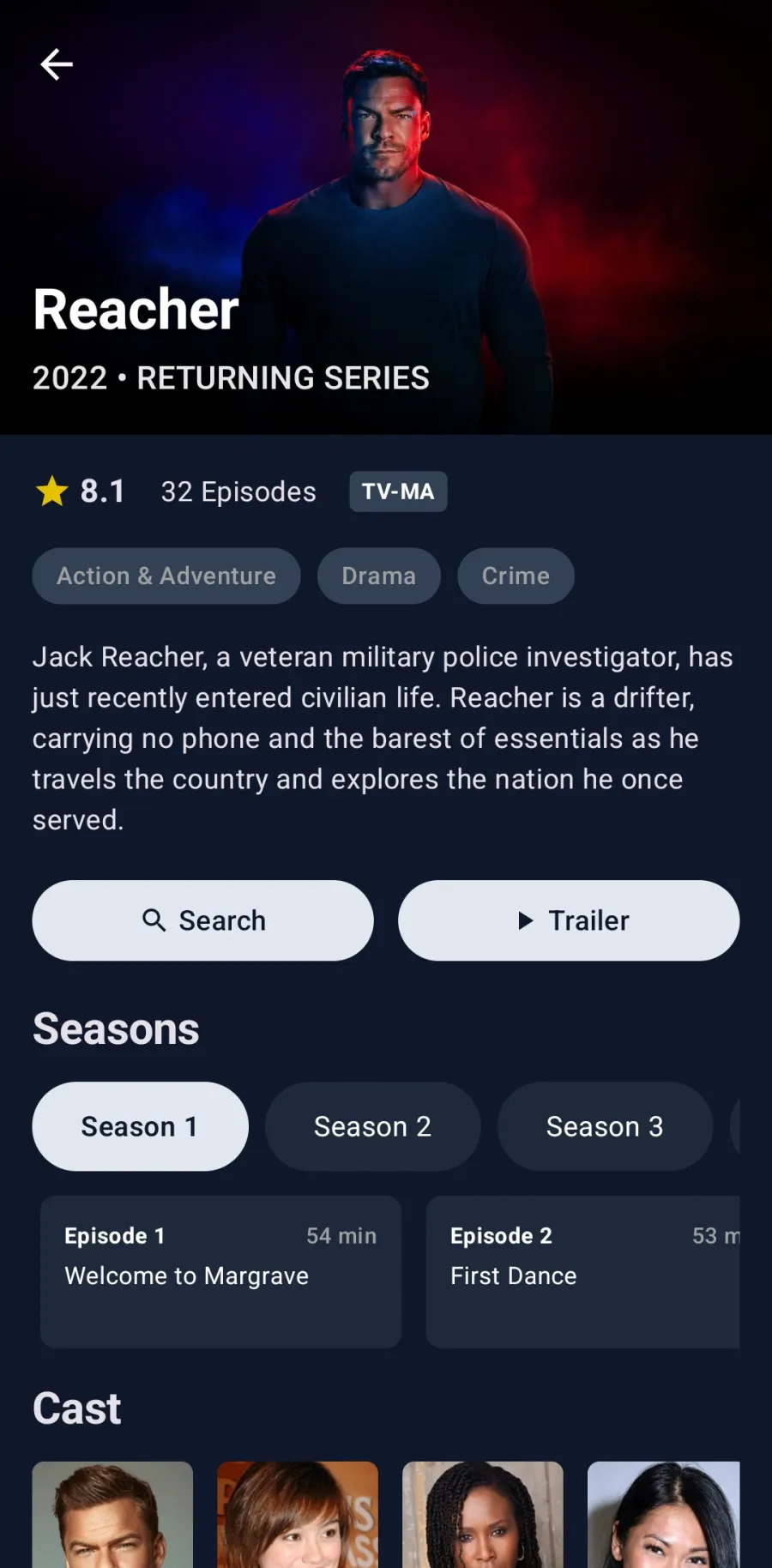
EchoGram Discover detail for a TV show with rating, episode count, seasons and cast

Know what you're about to watch

The Discover section, powered by TMDB, brings posters, ratings, genres, synopses, cast and full season and episode lists to the movies and shows in your channels. Browse Movies, TV Shows, Genres and Trending, then jump straight to playback.

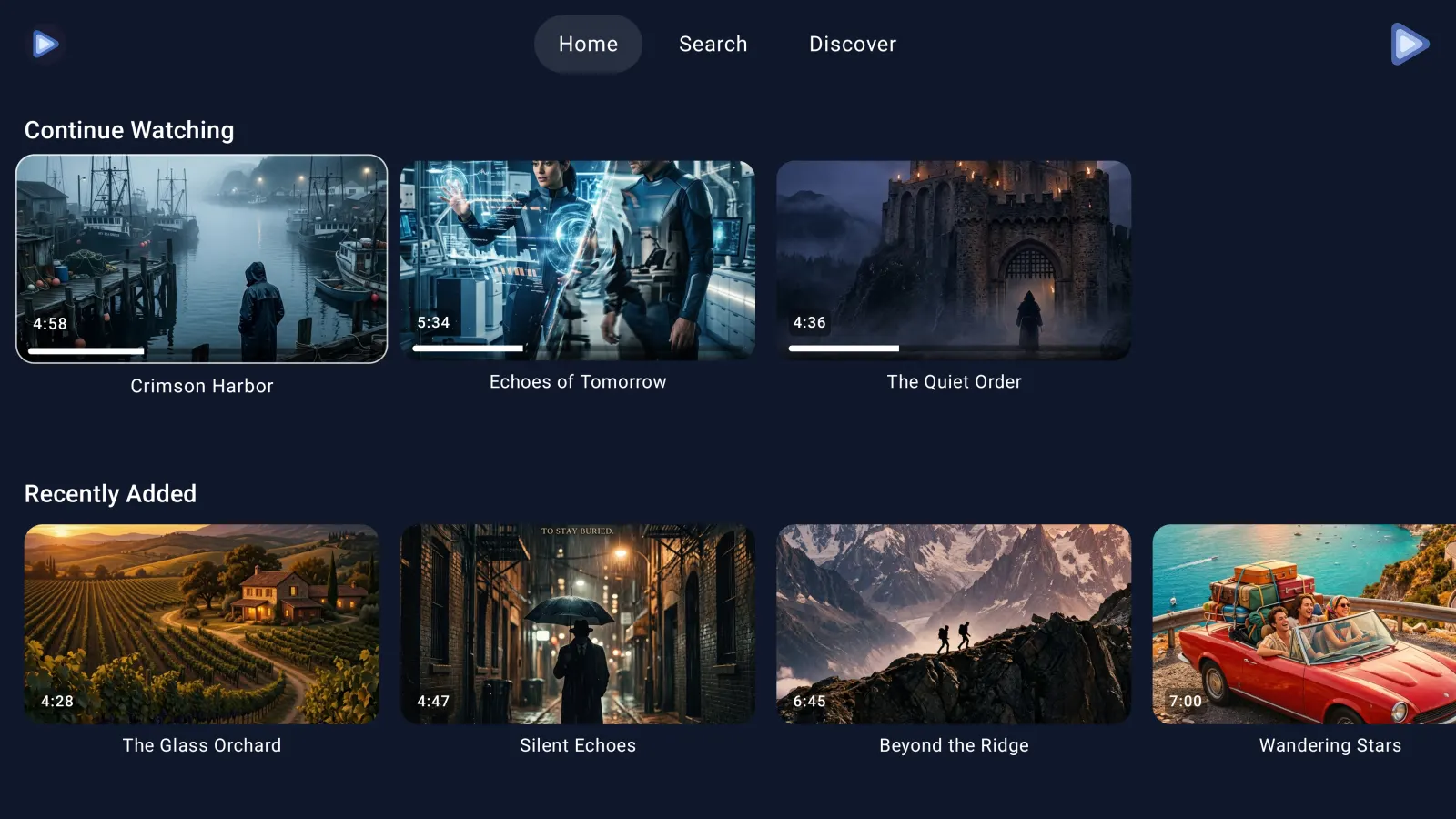
EchoGram on a television showing Continue Watching and Recently Added rows

Built for the big screen

Native apps for Android TV, Fire TV and Apple TV, with a 10-foot layout and remote-first navigation. Or cast from your phone to a Chromecast, Google TV or DLNA television. Android TV & Fire TV · Apple TV

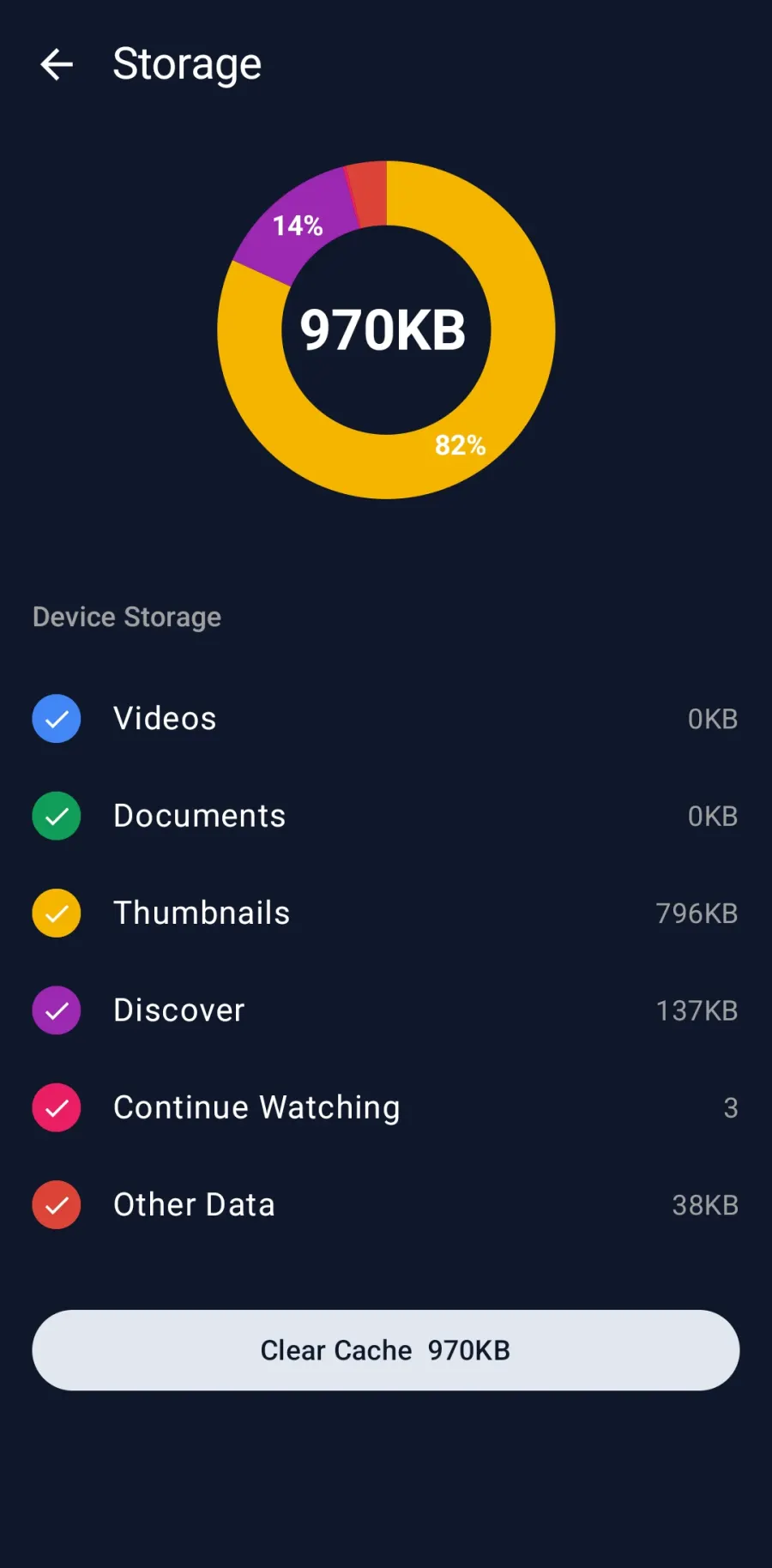
EchoGram storage screen showing a small cache size and a Clear Cache button

Streams light, not heavy

EchoGram keeps only what it needs to play smoothly and cleans up as it goes. A multi-gigabyte MKV plays without ever filling your device, and you can see and clear the cache whenever you like.

EchoGram vs. the official Telegram app

The Telegram app is a great messenger. EchoGram is built for one job: watching the videos inside it, especially on a television.

  Official Telegram app EchoGram
Play large MKV files directlyLimitedYes
Switch embedded audio tracksNoYes
Subtitle selection and stylingBasicExtensive
Native Android TV & Fire TV appNoYes
Native Apple TV (tvOS) appNoYes
Cast to Chromecast, Google TV & DLNAPartialYes
Resume playback across devicesNoYes
Stream big videos without filling storageNoYes

Read the full EchoGram vs. Telegram comparison →

Frequently Asked Questions

What is EchoGram?

EchoGram is a third-party Telegram video and media player for Android, Android TV, Fire TV, iPhone, iPad and Apple TV. It turns the chats, channels and folders in your own Telegram account into a streaming library and plays their videos with a full media-player interface.

Can I watch Telegram videos on Android TV or Fire TV?

Yes. EchoGram has a native Android TV and Fire OS app built for the 10-foot interface and D-pad remote, with hardware-accelerated playback of large files. See EchoGram for Android TV & Fire TV.

Can I watch Telegram videos on Apple TV?

Yes. EchoGram has a native Apple TV (tvOS) app, alongside its iPhone and iPad apps, so you can browse and play your Telegram media on the big screen without casting. See EchoGram for Apple TV.

Does EchoGram download videos to my phone?

No. EchoGram streams Telegram videos and clears the cached data afterwards, so even multi-gigabyte MKV files play on devices with little free storage.

Does EchoGram play MKV files and custom subtitles?

Yes. Unlike the standard Telegram app, EchoGram is a fully featured media player. You can play MKV, MP4 and other formats directly, switch between multiple embedded audio tracks, and load or restyle subtitles.

How does EchoGram cast to a TV?

EchoGram casts to Chromecast, Google TV and DLNA-compatible televisions and receivers over your local network. On Android TV, Fire TV and Apple TV you can also run the app natively. See how to cast Telegram videos to your TV.

Is EchoGram affiliated with Telegram?

No. EchoGram is an independent app by Illuzion Apps. It signs in through the official Telegram API and is not affiliated with, endorsed by or sponsored by Telegram.

Is it safe to log in, and how is my privacy handled?

EchoGram signs in with the official Telegram API and supports two-factor authentication. Your Telegram content stays on your device, and the app has no advertising and no analytics SDKs. See our privacy policy.

How much does EchoGram cost?

EchoGram is free to download and use. An optional EchoGram Premium subscription unlocks additional features.