Echogram app icon

A Telegram MKV Player That Actually Plays Your Files

If a Telegram video won't play, plays with no sound, or asks you to download it first, it's usually an MKV file the built-in Telegram player can't handle. Echogram is a dedicated Telegram MKV player built on a smart, multi-engine streaming architecture, so it plays far more formats and files than Telegram's own player, with multiple audio tracks and subtitle selection, streamed straight from your chats and channels using very little device storage.
Get it on Google Play Get it on the App Store Amazon Appstore
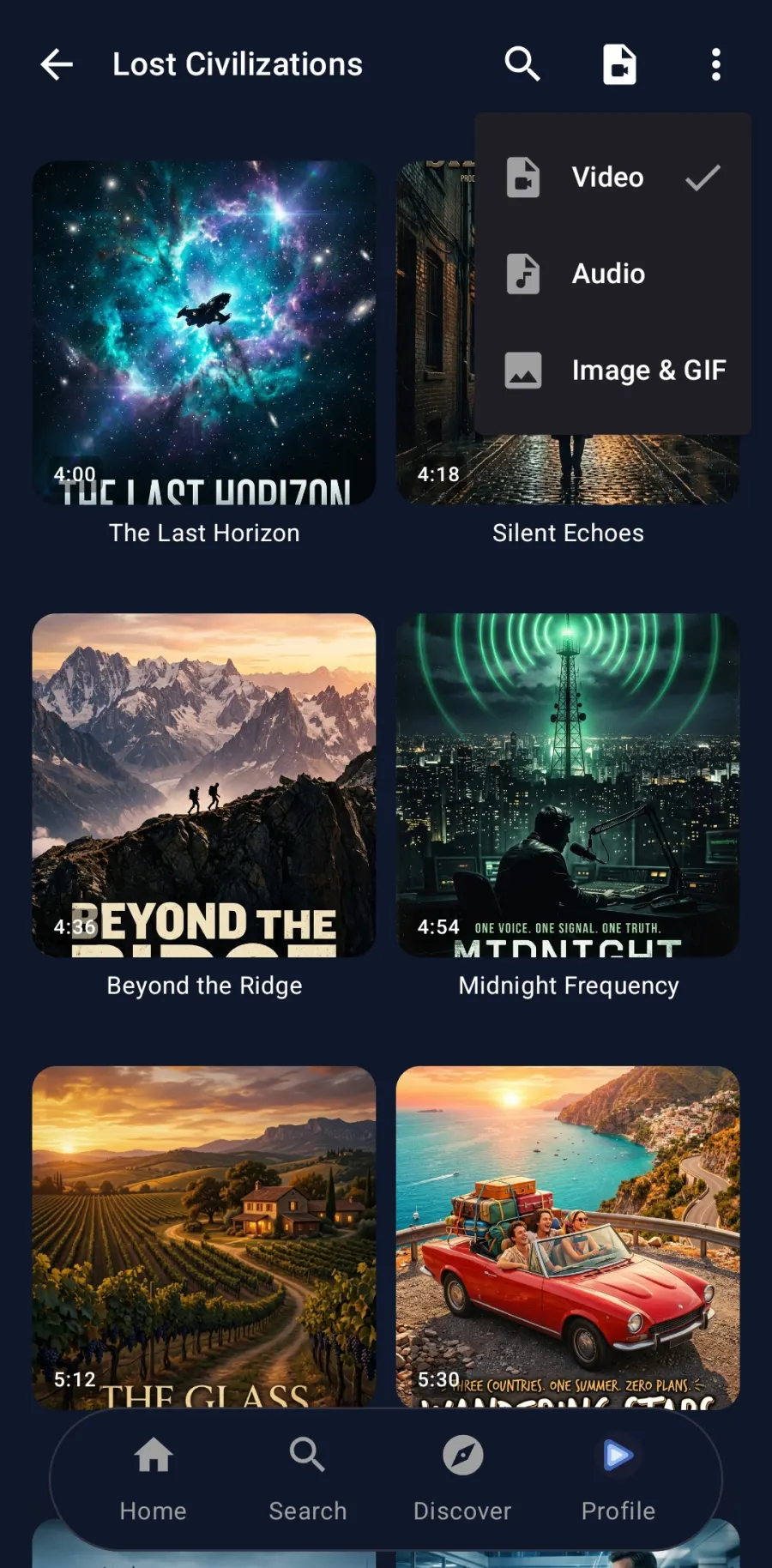
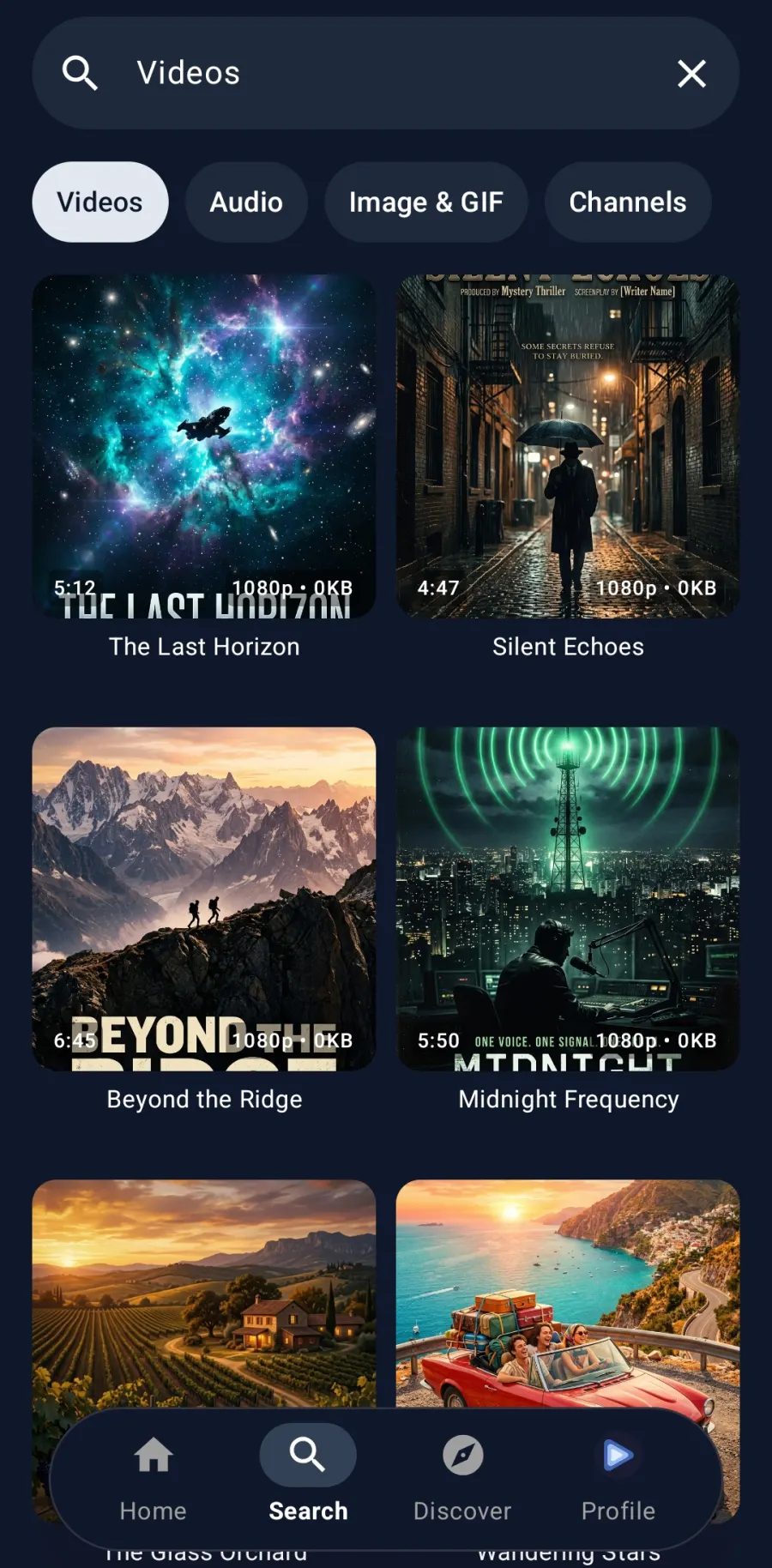
Echogram browsing video files in a Telegram channel Echogram search results showing video resolution and file details

Why MKV files fail in the Telegram app

MKV is a container, not a single format: one file can carry a video stream, several audio tracks and several subtitle tracks, each encoded differently. Telegram's built-in player only supports a limited set of those combinations. An MKV encoded with HEVC/H.265, an uncommon audio codec, or one with more than one audio or subtitle track can fail to open, play back with no sound, or fall back to asking you to download the raw file and open it in a separate app.

That is the moment most people give up on watching a video shared in a Telegram channel. Echogram exists for exactly this case.

A smart, multi-engine streaming architecture

Echogram doesn't rely on a single playback engine. On Android it plays a file through ExoPlayer, extended with an FFmpeg decoder for formats ExoPlayer alone doesn't cover, or through libVLC, whichever handles that file and device best. On iOS and tvOS it does the same with libVLC and Apple's native AVPlayer. This smart streaming engine is what lets Echogram open far more of the video and audio formats found in real Telegram channels than Telegram's own single built-in player, on nearly any device, while keeping the storage it needs to stream small regardless of file size.

Telegram app vs. Echogram for MKV files

Playing an MKV file Official Telegram app Echogram
Opens HEVC/H.265 and uncommon codecsOften failsYes
Switch between embedded audio tracksNoYes
Select and style embedded subtitlesNoYes
Multi-engine playback (ExoPlayer, libVLC, AVPlayer)Single built-in playerYes
Plays without a full download firstOften requiredYes, streams directly

Read the full Echogram vs. Telegram comparison →

Telegram MKV playback FAQ

Why won't my MKV video play in the Telegram app?

Telegram's built-in player supports a limited set of codecs, so an MKV encoded with HEVC/H.265, an uncommon audio codec, or one with multiple embedded tracks can fail to play, play with no sound, or ask you to download it first. Echogram plays MKV files with a full media-player engine instead of Telegram's built-in viewer.

Does Echogram support HEVC (H.265) MKV files?

Echogram automatically plays each file through whichever engine handles it best: ExoPlayer with an FFmpeg extension or libVLC on Android, and libVLC or Apple's AVPlayer on iOS and tvOS. Between them they cover far more formats and codecs than Telegram's single built-in player, including HEVC, so files that fail in the standard Telegram app generally play correctly in Echogram.

What video engine does Echogram use?

A smart, multi-engine streaming architecture rather than a single player. On Android, Echogram plays each file through ExoPlayer, extended with an FFmpeg decoder for extra format support, or through libVLC, whichever suits that file and device. On iOS and tvOS it uses libVLC and Apple's native AVPlayer. It picks the right engine automatically, there is nothing to configure.

Can I switch audio tracks in an MKV file?

Yes. Many MKV files carry more than one audio track, for example a dub and the original language. Echogram lets you switch between embedded audio tracks from the player controls.

Does Echogram support subtitles embedded in MKV files?

Yes. Echogram detects subtitle tracks embedded in the file, lets you turn them on or off, choose between multiple tracks, and adjust size, colour and background.

Do I need to convert or fully download the file first?

No. Echogram streams the MKV file directly and clears the cache afterwards, so multi-gigabyte files play without permanently filling your device's storage.

Can I play Telegram MKV files on my TV?

Yes. Echogram plays MKV files natively on Android TV and Fire TV and Apple TV, and can cast them from your phone to a Chromecast, Google TV or DLNA television.